

Themes
Added by #33 / #168, with the claude-dark preset added in #185.
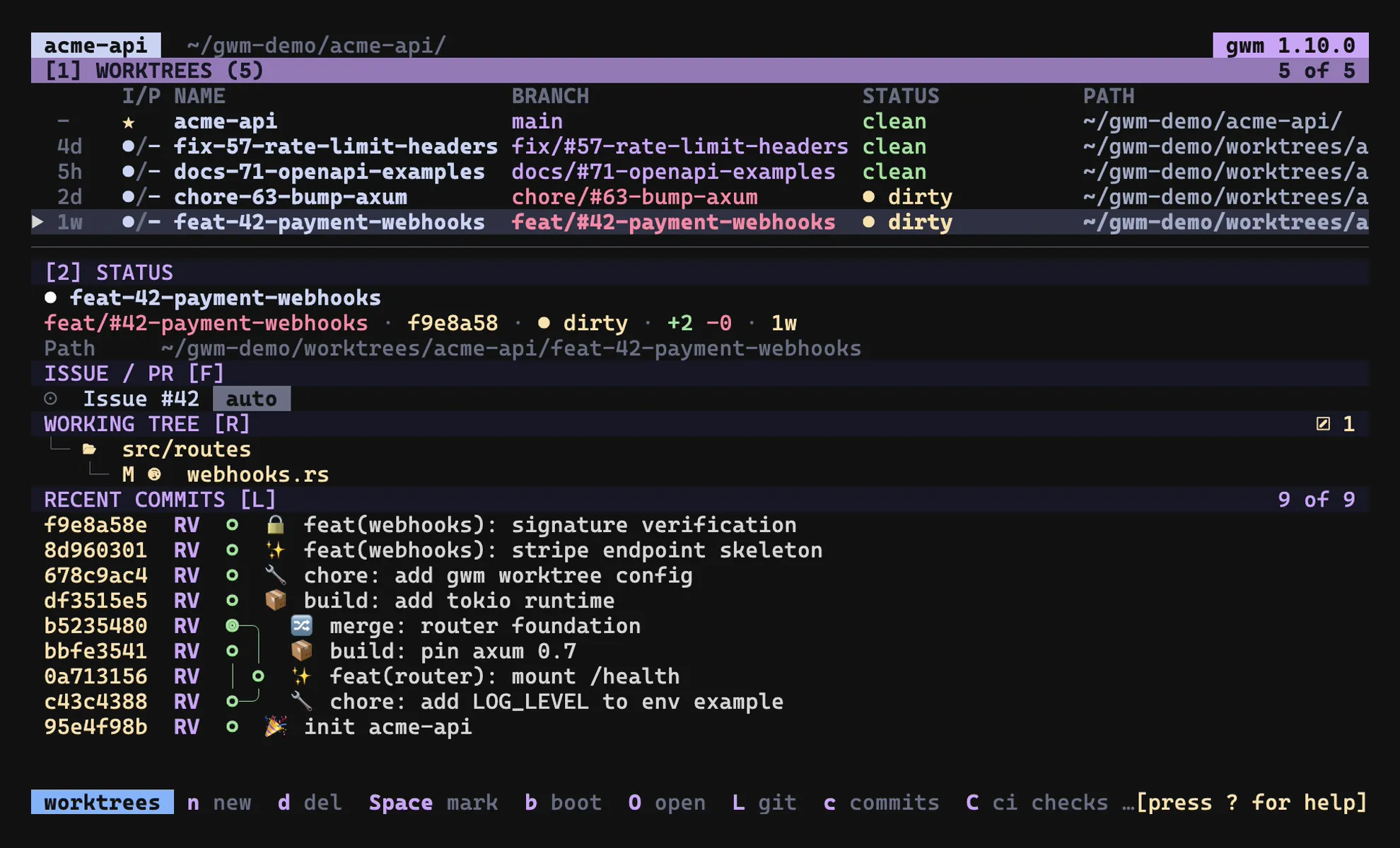
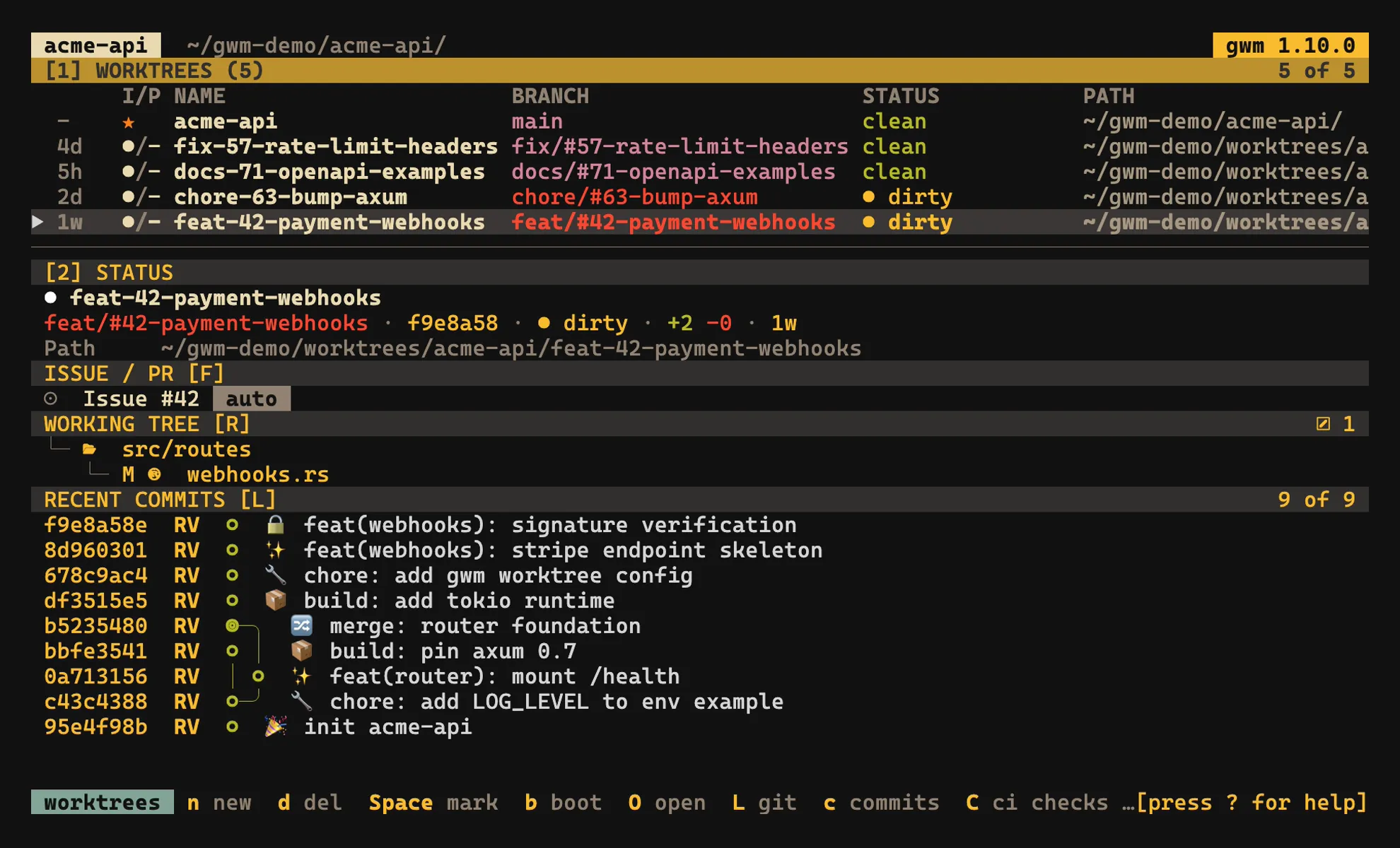
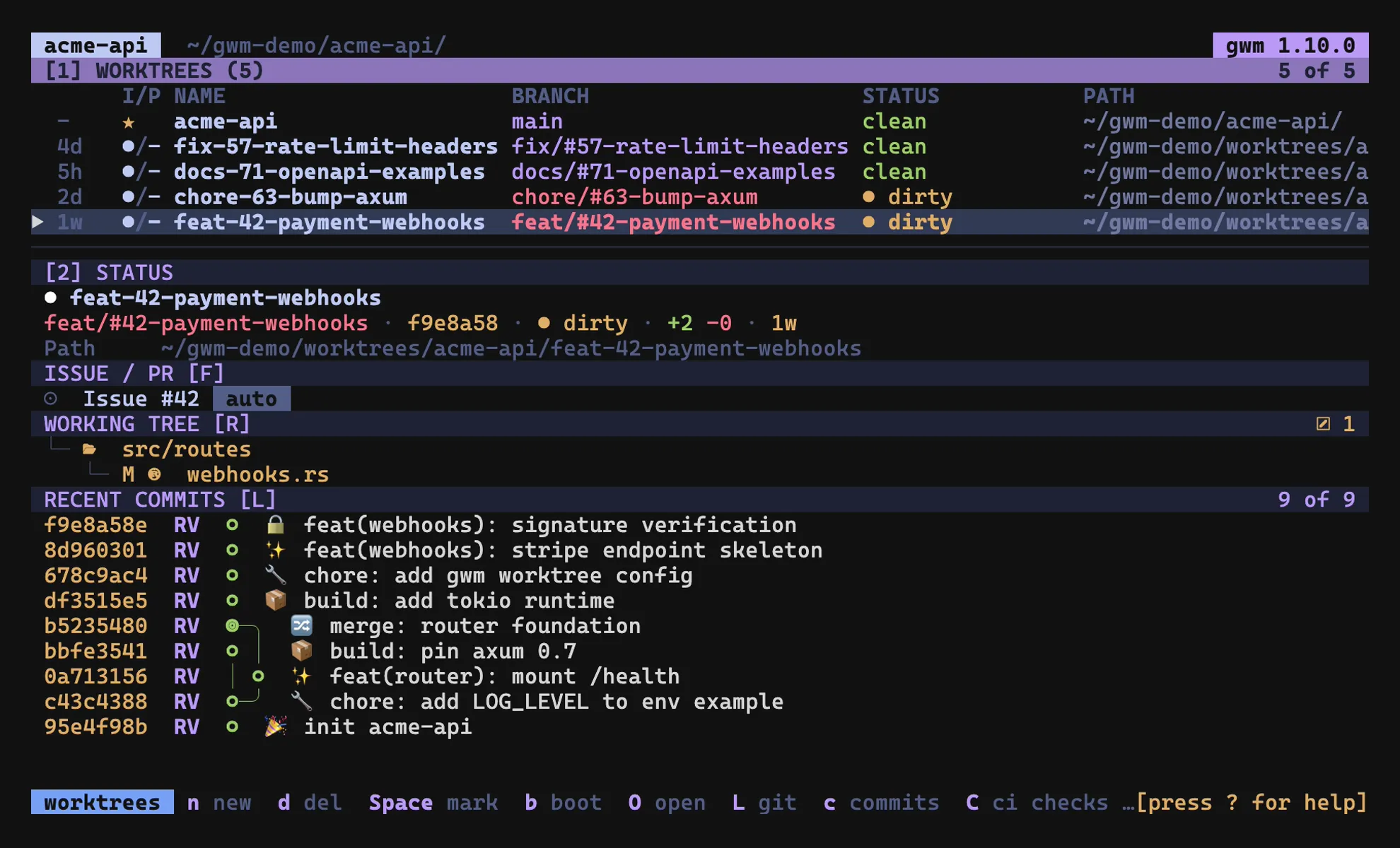
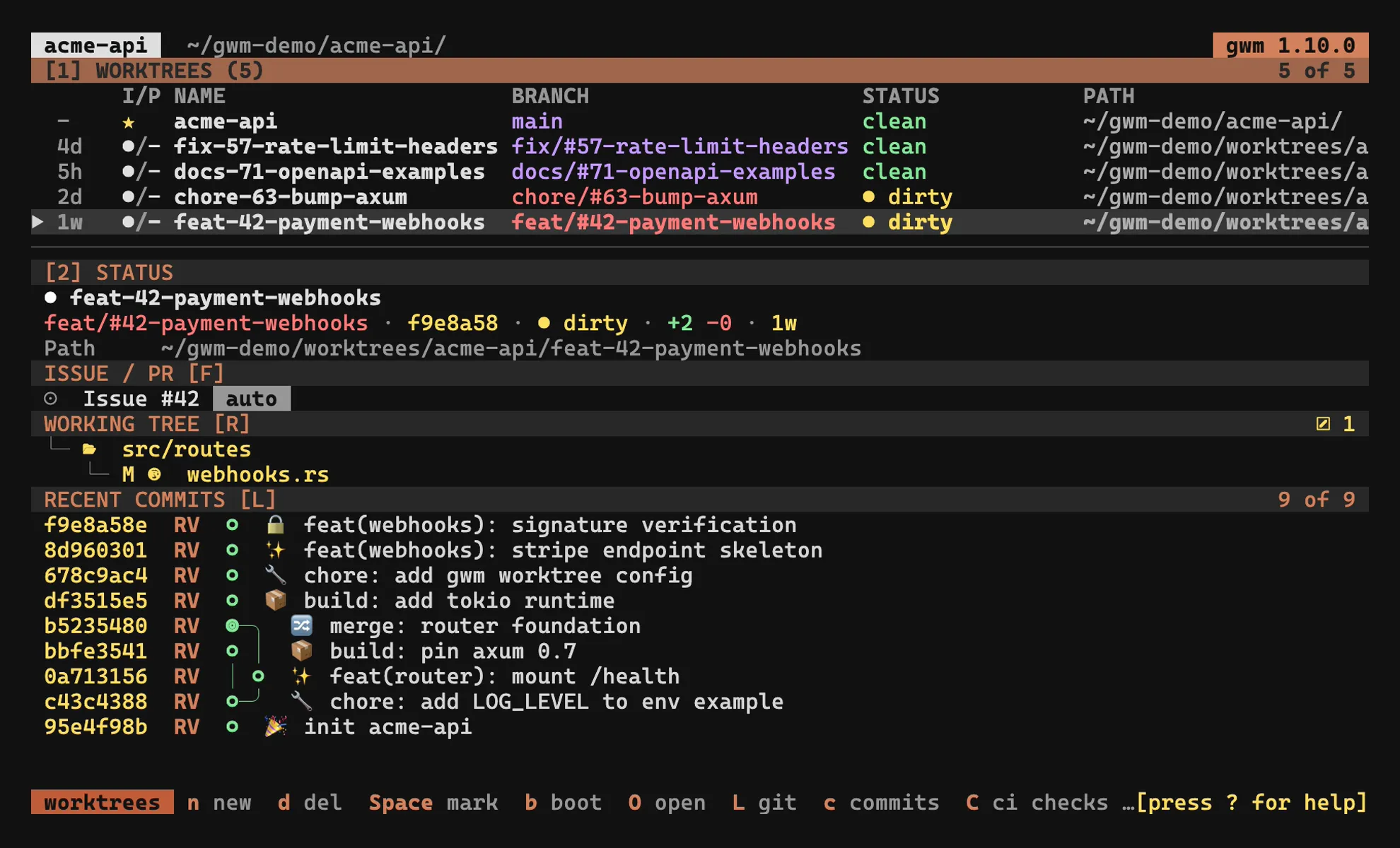
The TUI’s colours are driven by a [theme] block in .gwm.toml. Instead of hard-coded values, every paint site reads a semantic role, so a single preset or a handful of overrides recolours the whole interface consistently.
A theme is a set of role → colour bindings:
| Role | What it colours | Default |
|---|---|---|
focus |
focused border / cursor / active overlay highlight | Cyan |
accent |
header title, key hints in the help overlay, accent chips | Cyan |
branch |
branch name in lists and the sidebar identity card (healthy state) | Green |
clean |
“working tree is clean” status indicator | Green |
dirty |
“working tree is dirty” status indicator | Yellow |
main |
main / trunk worktree badge | Yellow |
locked |
locked worktree badge (🔒) |
Magenta |
prunable |
prunable worktree badge (⚠) |
Red |
muted |
secondary / dimmed text | DarkGray |
selection_bg |
selection-row background | DarkGray |
name |
worktree name (table + sidebar header) and Issue #N / PR #N heads |
White |
path |
worktree path column in the table | Gray |
staged |
staged (index-side) git-status changes in the working-tree panel | Cyan |
modified |
worktree-side git-status modifications | Yellow |
untracked |
untracked / created git-status entries (??) |
Green |
section_bg |
compact-mode section header fill ([tui] layout) |
236 |
The default theme reproduces gwm’s pre-#33 hard-coded look exactly, so default-theme users see no change. The name / path roles (#210) promoted the last structural Color::White / Color::Gray chrome left after the #170 audit; the sidebar identity-card path stays on muted so its default appearance is unchanged. The staged / modified / untracked roles (#211) decouple the working-tree status families, which previously borrowed accent / dirty / clean. Their defaults equal those borrowed colours, so the panel is unchanged until you override them.
Presets
Section titled “Presets”Set preset = "<name>" to replace every role at once:
[theme]preset = "catppuccin"Built-in presets:
| Preset | Aliases |
|---|---|
catppuccin |
catppuccin-mocha |
gruvbox |
gruvbox-dark |
tokyo-night |
tokyonight |
claude-dark |
claude |
A preset replaces every role: partial presets are not supported. List them with gwm theme list; dump any preset as a copy-pasteable, round-trippable [theme] block with gwm theme show <name> (see CLI → gwm theme).
Per-role overrides
Section titled “Per-role overrides”Override individual roles on top of (or in the absence of) a preset. Per-role overrides win over the preset:
[theme]preset = "catppuccin"focus = "#89b4fa" # mocha blue override on top of the presetValue formats
Section titled “Value formats”A role value accepts three forms:
- named:
"cyan","Cyan","dark_gray","bright_blue"(case-insensitive). - 256-palette index:
"220"(0..=255). - hex:
"#89b4fa"(the#0ffshort form is not supported; the parser refuses to guess).
Validation runs at config load: an unknown preset, an unknown role, or a bad colour value all reject with the offending TOML coordinate. See Configuration → [theme] schema.
How the TUI uses it
Section titled “How the TUI uses it”The resolved theme is threaded through App.theme and read at each draw site. The focused-panel border (worktree list ↔ sidebar) now paints with the focus role. The default is still Cyan, so default-theme users see no difference, but the claude-dark preset paints it orange.
A full colour audit of every draw site (so that no paint site still reaches for a hard-coded
Color::instead of a theme role) is tracked as a follow-up in #170.
Related
Section titled “Related”- CLI →
gwm theme list/gwm theme show: discover and dump presets - Configuration →
[theme]schema: full role / value reference - Keymap & command palette: the other half of the TUI personalisation surface