

TUI
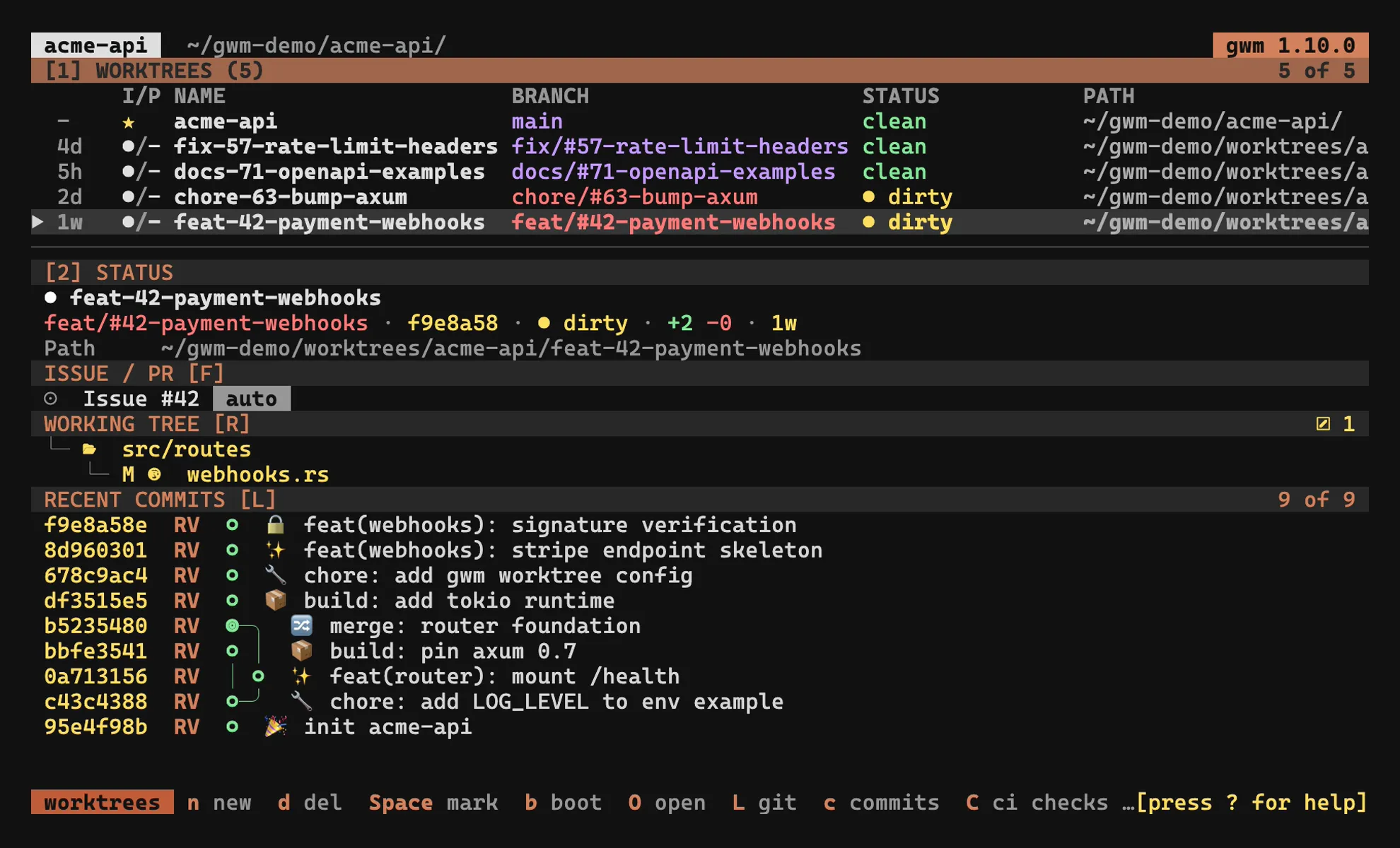
Bare gwm (no arguments) opens the ratatui interface on the current repo. From there you can create, delete, bootstrap, and jump between worktrees without leaving the terminal.
- Keybindings: the full key map, including the v0.10 keymap redesign (#290) that reshuffled the defaults (e.g.
Ois now the fullscreen terminal, not open-menu;ynow yanks the branch name, not the path). The keymap is fully configurable via[tui.keys]. - Details sidebar: the four subsections on the right pane, the responsive orientation, the lazygit-style commit graph, the live Issue / PR block (with the CI status indicator), the
git statusfile-explorer tree, and theSstashes mode. - Fuzzy filter:
/opens the inline filter bar; nucleo-matcher under the hood. - Confirm-overlay countdown: the safety countdown that prevents accidental branch deletions when
Dis armed. - Configurable launchers:
[git_tui](loverlay /Lfullscreen) and[review](roverlay /Rfullscreen), with{base} {head} {path} {diff}placeholders and the embedded PTY overlay. - Open dispatch:
oopens a terminal in an embedded PTY overlay;Oruns the[tui.open]dispatch (shell/editor/finder). - Exec / clean overlays:
xpicks an[exec.profiles]profile and runs it in a PTY overlay;Xpreviews and reclaims build artifacts (same git-ignored safety gate asgwm clean --yes, behind a confirm countdown). - Themes: role-based
[theme]colours and the built-in presets (catppuccin,gruvbox,tokyo-night,claude-dark). - Keymap & command palette: remap any binding via
[tui.keys](with chord support), or fire an action by name from the:palette. - Agent sessions: which AI agent (Claude Code, Codex, opencode, Mistral Vibe) is working in which worktree, read from each tool’s on-disk artefacts and shown in the
AGENTcolumn, the sidebar and theaoverlay.
n (new worktree) and b (re-bootstrap) are gated by the TOFU trust ledger: an untrusted .gwm.toml lands a refuse message in the status bar rather than running bootstrap. The picker variant (gwm switch, alias gwm s) reuses the same TUI but disables create / delete / bootstrap, then prints the chosen worktree’s path on stdout, meant to be evald by the gcd shell wrapper.
Chrome
Section titled “Chrome”The v0.8.0 polish pass tightened the TUI’s frame. All colours follow the resolved [theme]:
- Statusline: a single line. Key hints render as reverse-video badge chips (the key painted with the theme accent, then a short label); the status message (action log) is pinned flush-right with absolute priority. Under width pressure the hint list truncates with an
…marker while the log stays visible. - Header, a single borderless row: the version is a reverse-video chip, the repo name is bold, and the working directory is dimmed and tilde-compressed. The
pickerflag is its own reverse-video chip. Drop order under width pressure is path → repo name → version chip (the version survives last). - Modals all share one frame, and since #594 that frame follows
[tui] layoutlike every other surface. Compact: a filled title band on the first row, the hints on a quietsection_bgband under the last one, a blank row between each band and the content, no rules on any side, and the list behind it darkened so the panel still reads as one. Bordered: a rounded border carrying a bold themed title in its top rule. Either way the box is sized to its content rather than to a fixed percentage of the screen. The title moved into the rule in #549: it used to be a centred row inside the frame followed by a blank spacer, so every overlay is two rows shorter.
Layout
Section titled “Layout”[tui] layout (#545) chooses how panes and sidebar sections are framed. "compact" is the default: no box rules, one filled header line per section. The title keeps its bracketed keybinding and goes uppercase, the counter sits at the right of that same line, a muted rule marks the boundary between the two panes, and the worktrees pane sizes itself to its row count rather than reserving its share of the split. Focus reads on the header fill: the active pane takes a darkened accent band with dark bold text on it, while an inactive one keeps its name in accent on the quiet section_bg fill rather than dimming it (#605). [tui] dim_unfocused additionally dims the inactive pane’s body, in either layout, off by default.
The capture at the top of this page shows it, as does every other capture in these docs.
layout = "bordered" restores gwm’s layout up to 1.7, the lazygit-style boxes:
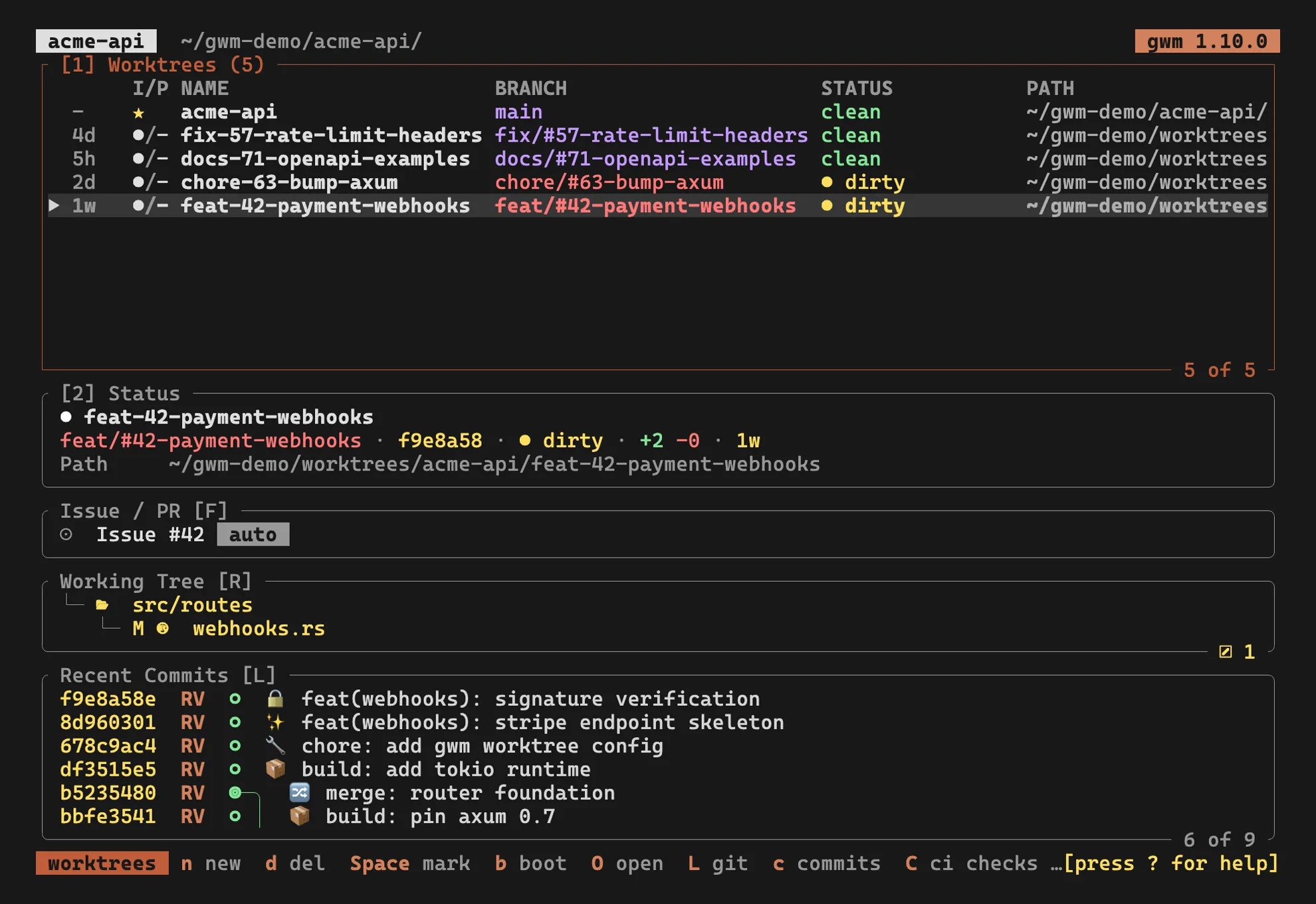
Modals follow the same knob since #594: compact spends a filled title band and a section_bg footer band instead of the four rules, two rows and four columns less per overlay, and darkens what it floats over to make up for the missing boundary. Configuration and the section_bg theme role are documented under .gwm.toml.
[tui] status_one_line (#547) folds the Status block’s four values (branch, head, state badges, diff, age) onto one row joined by ·, leaving only the path a row of its own. On by default, under either layout. It is the content half of the same density argument: layout cut what a section spends on its frame, this cuts what the identity card spends on labels. Set status_one_line = false for the labelled four-row block.