

Open dispatch (o and O)
Added by #73 / #74; split into a PTY overlay (o) and a fullscreen variant (O) in #35 / #290.
Two bindings open something at the selected worktree:
| Key | Action slug | What it does |
|---|---|---|
o |
terminal_pty |
a native $SHELL session in an embedded PTY overlay (~90 % of the screen) |
O |
terminal_fullscreen |
the fullscreen open dispatch driven by [tui.open] (shell / editor / finder) |
Both slugs are rebindable under [tui.keys].
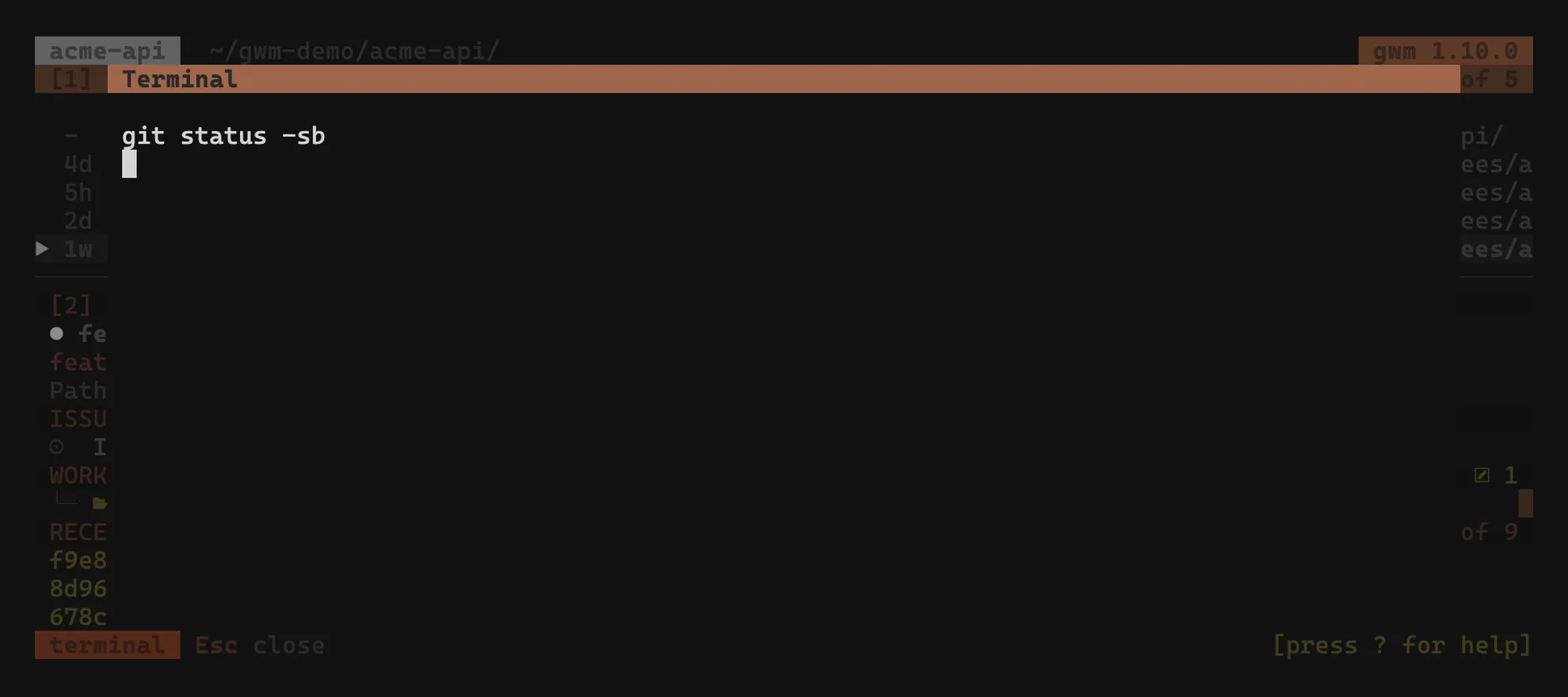
o: terminal in an embedded PTY overlay
Section titled “o: terminal in an embedded PTY overlay”o drops a native $SHELL session into a portable-pty + tui-term overlay sized to roughly 90 % × 90 % of the terminal, with cwd set to the worktree, the same overlay machinery as the l git-TUI overlay. The TUI never leaves the alt-screen; the worktree list stays visible behind the modal. Keystrokes are forwarded to the shell; Esc closes the overlay (or exit the shell; the overlay auto-closes when the child exits).
O: fullscreen open dispatch
Section titled “O: fullscreen open dispatch”O dispatches on the [tui.open] section in .gwm.toml. Three modes are supported.
Configuration
Section titled “Configuration”[tui.open]mode = "shell" # "shell" (default) | "editor" | "finder"shell_cmd = "" # override $SHELL; empty = use $SHELLeditor_cmd = "hx" # override $EDITOR; empty = use $EDITORUnknown mode values are a hard config error at load time, surfaced before the TUI opens, with no silent fallback. The error names the file, the line, and the supported values, so the fix is one keystroke.
shell (default, changed in v0.6)
Section titled “shell (default, changed in v0.6)”Suspend the TUI and spawn $SHELL (or shell_cmd if set) with cwd set to the worktree, the same lifecycle as the L fullscreen git-TUI launcher. When you exit the shell, the gwm TUI restores exactly where you left it.
O → $SHELL inside /Users/you/cc-worktree/myrepo/feat-42-user-authexit→ gwm TUI restoredFor an embedded shell that keeps the worktree list visible, press
o(the PTY overlay) instead: it never suspends the TUI.
This is the lazygit-style flow: drop into a shell, run whatever, come back to the TUI without losing selection or filter state.
editor
Section titled “editor”Suspend the TUI and run $EDITOR <worktree-path> (or editor_cmd <worktree-path> if set). Useful for terminal editors that own the alt-screen (helix, nvim, micro):
[tui.open]mode = "editor"editor_cmd = "hx" # override $EDITOR for this repoFor GUI editors that fork off the terminal, prefer mode = "shell" with a custom shell_cmd that launches the editor. That way the TUI doesn’t suspend uselessly while the GUI runs.
finder: pre-v0.6 behaviour
Section titled “finder: pre-v0.6 behaviour”Hand off to the OS file manager without suspending the TUI:
- macOS:
open <path> - Linux:
xdg-open <path> - Windows:
explorer <path>
This is the pre-v0.6 default; opt back in with mode = "finder". Useful when the worktree carries binary assets you actually want to inspect in the OS file picker.
Why the default changed
Section titled “Why the default changed”The pre-v0.6 open key opened the OS file manager unconditionally, but the most common follow-up was “now I want a shell here”, so most users ended up either ignoring it entirely or wiring it through a yank-path-and-cd workaround. v0.6 made shell the default [tui.open] mode.
Opt back into the old finder flow with two lines in .gwm.toml:
[tui.open]mode = "finder"Related
Section titled “Related”- Configurable launchers: the
l/Lgit-TUI andr/Rreview overlays, same PTY machinery aso - Keybindings: where
o/Olive in the key map - Configuration →
.gwm.tomlschema: full[tui.open]field list