

gwm
Manage your git worktrees anywhere, from the CLI or the TUI.
- CLI + TUI
- libgit2
- .gwm.toml
- TOFU trust
- JSON + daemon
brew install kbrdn1/tap/gwmWhat it is
gwm creates one isolated worktree per branch in a single command, following
the <type>/#<issue>-<desc> convention, and prepares each one through a
bootstrap described in .gwm.toml. One branch is one physical directory: its
own target/, its own dependencies, its own local config. Nothing is stashed,
nothing is rebuilt on every switch.
It is a single self-contained binary. Worktree operations run on vendored
libgit2, so there is no shell-out to parse and no gwq to install first.
Install
# Homebrewbrew install kbrdn1/tap/gwm
# Prebuilt archives, no Rust toolchaincargo binstall gwm-cli
# From crates.iocargo install gwm-cli
macOS · Linux · Windows · single self-contained binary · MIT OR Apache-2.0 · eleven install channels →
The interface
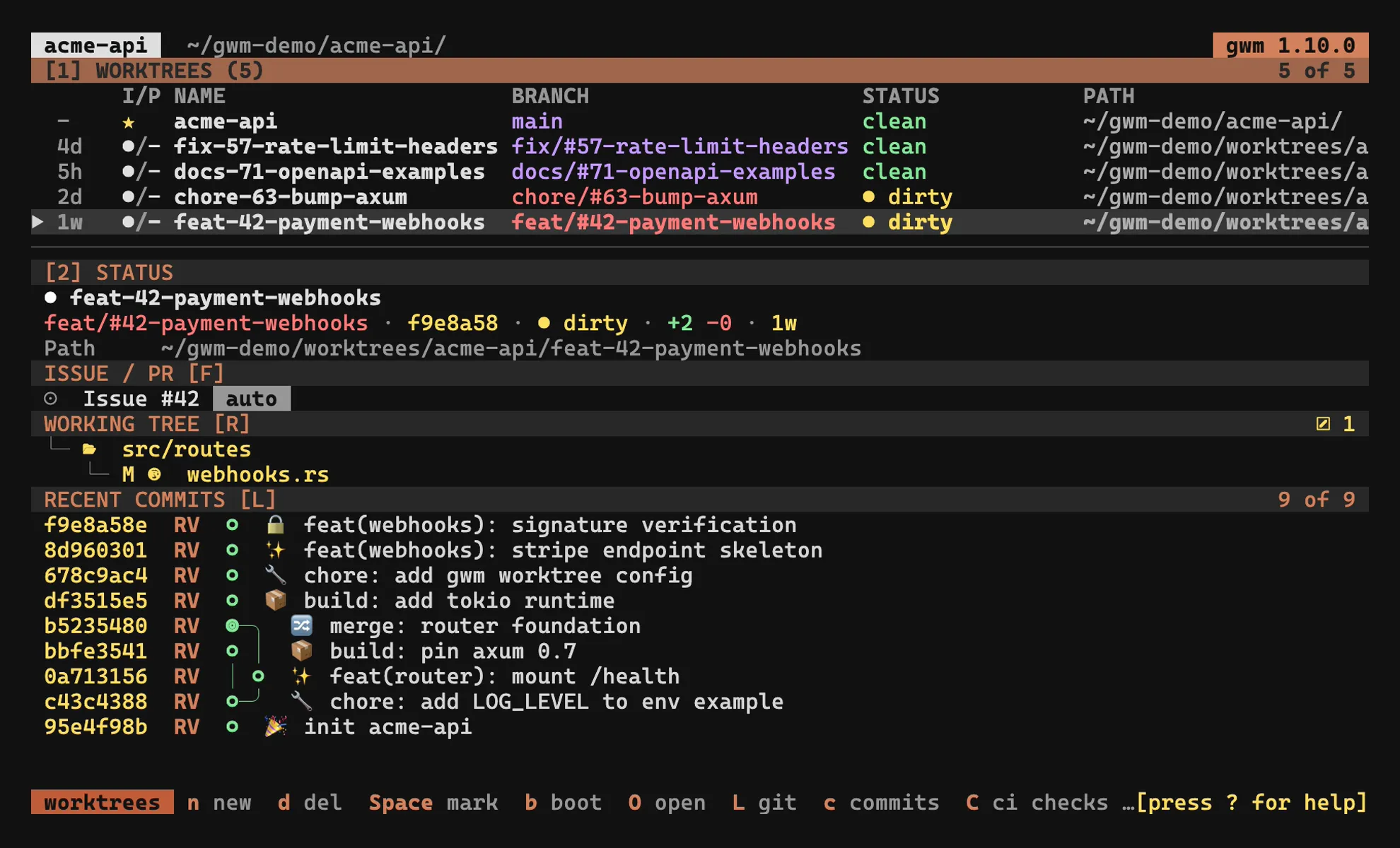
Bare gwm opens the list. Everything else is one key away: / filters, 2
focuses the sidebar, n creates, N writes the worktree’s note, L drops into
lazygit, O opens it fullscreen at the worktree - a shell by default, your
editor or a file browser if [tui.open] says so.
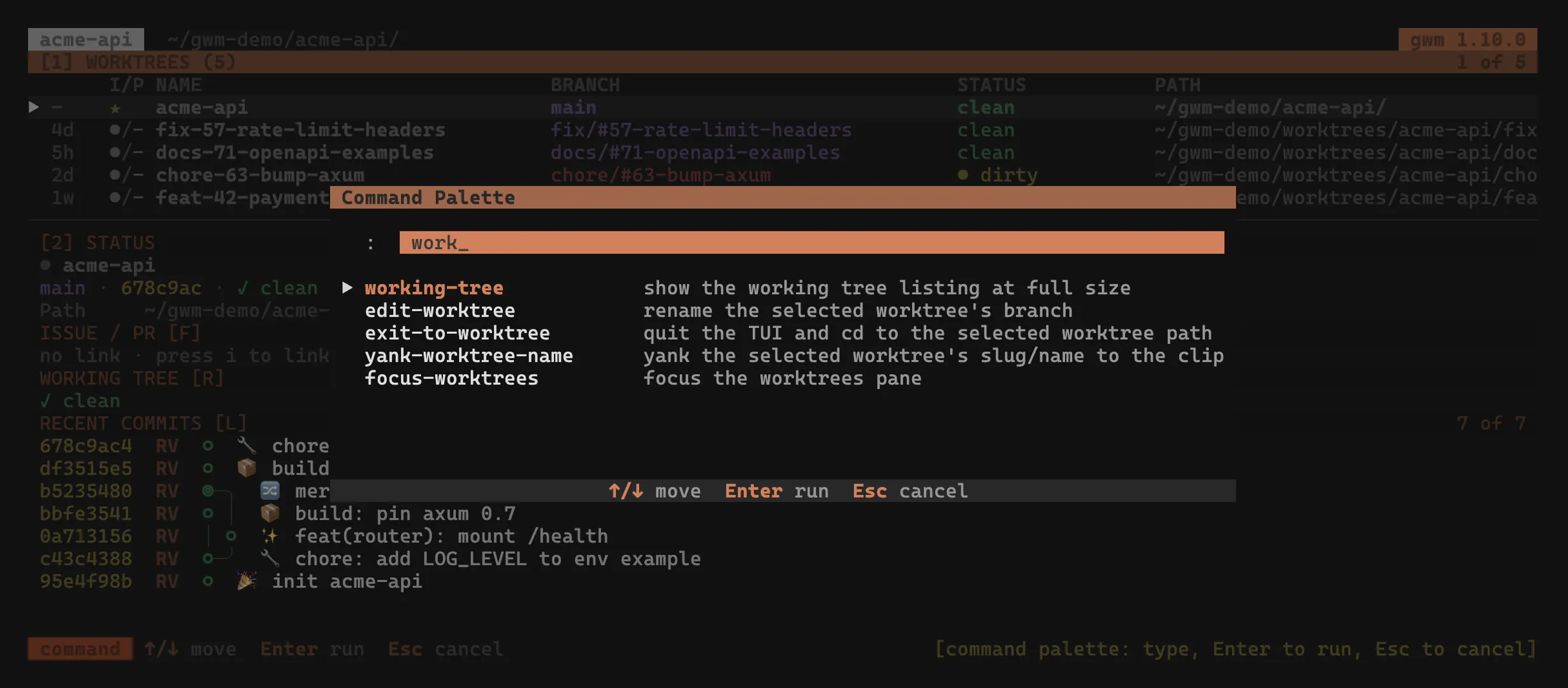
Every pane is documented in the TUI guide, from the keybindings to the command palette and the theme presets.
What you get
One command per worktree
gwm create feat 12 my-feature opens the feat/#12-my-feature branch, its worktree, and runs the
repo’s bootstrap. gwm remove takes it all back down, with --dry-run if you want to look first.
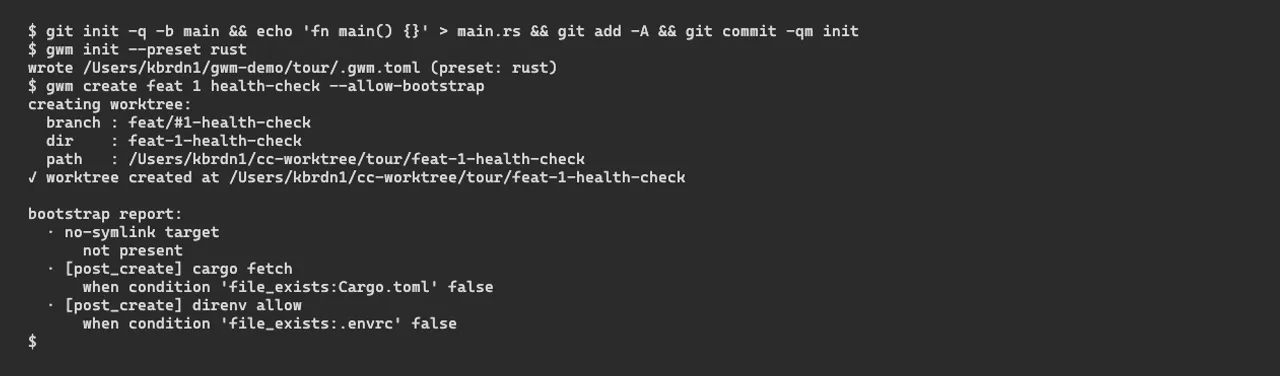
Bootstrap that belongs to the repo
.gwm.toml describes branch conventions, file copies, regex guards, no-symlink invariants and
lifecycle hooks. Everyone who clones gets the same worktrees, and a TOFU trust ledger asks before
running anything.
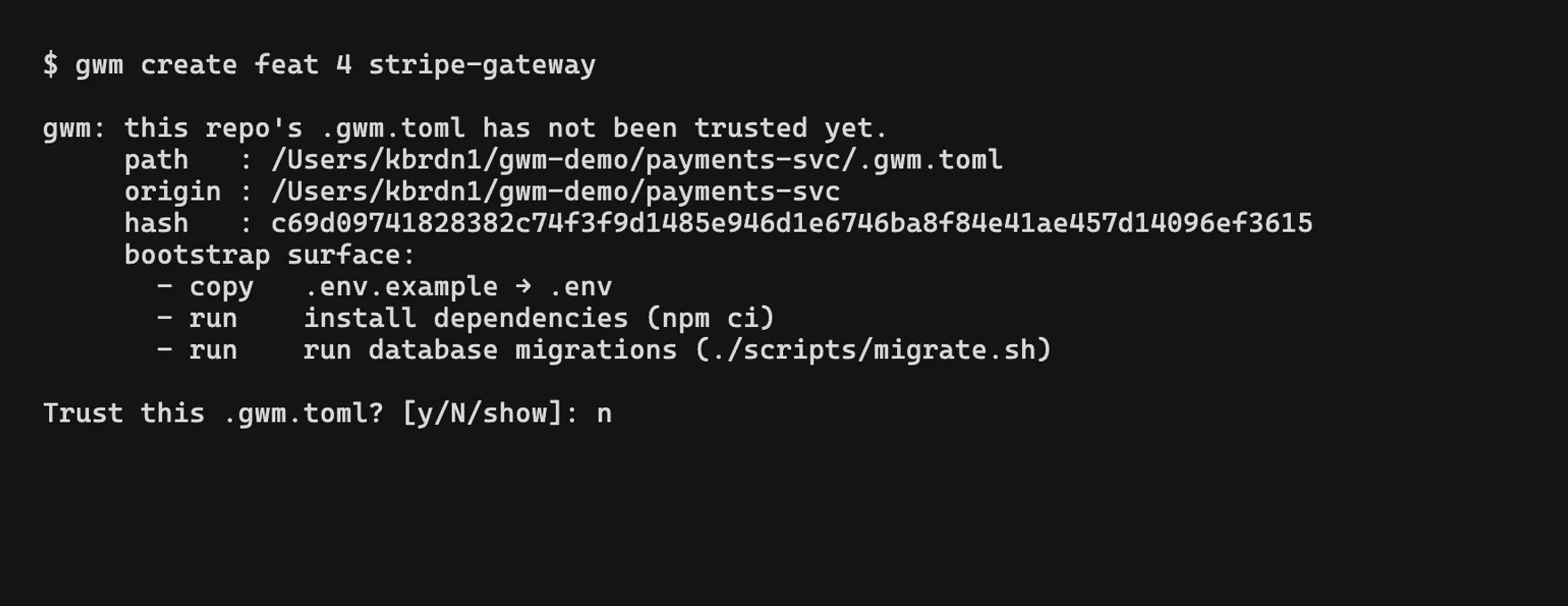
The issue and the PR, in the worktree
A branch named feat/#42-… links itself to issue #42 with zero config, gh or glab fetches the
live state, and the detected PR lands next to it - title, state, CI. It lives in git config, per
branch, so it survives a move and is never committed.
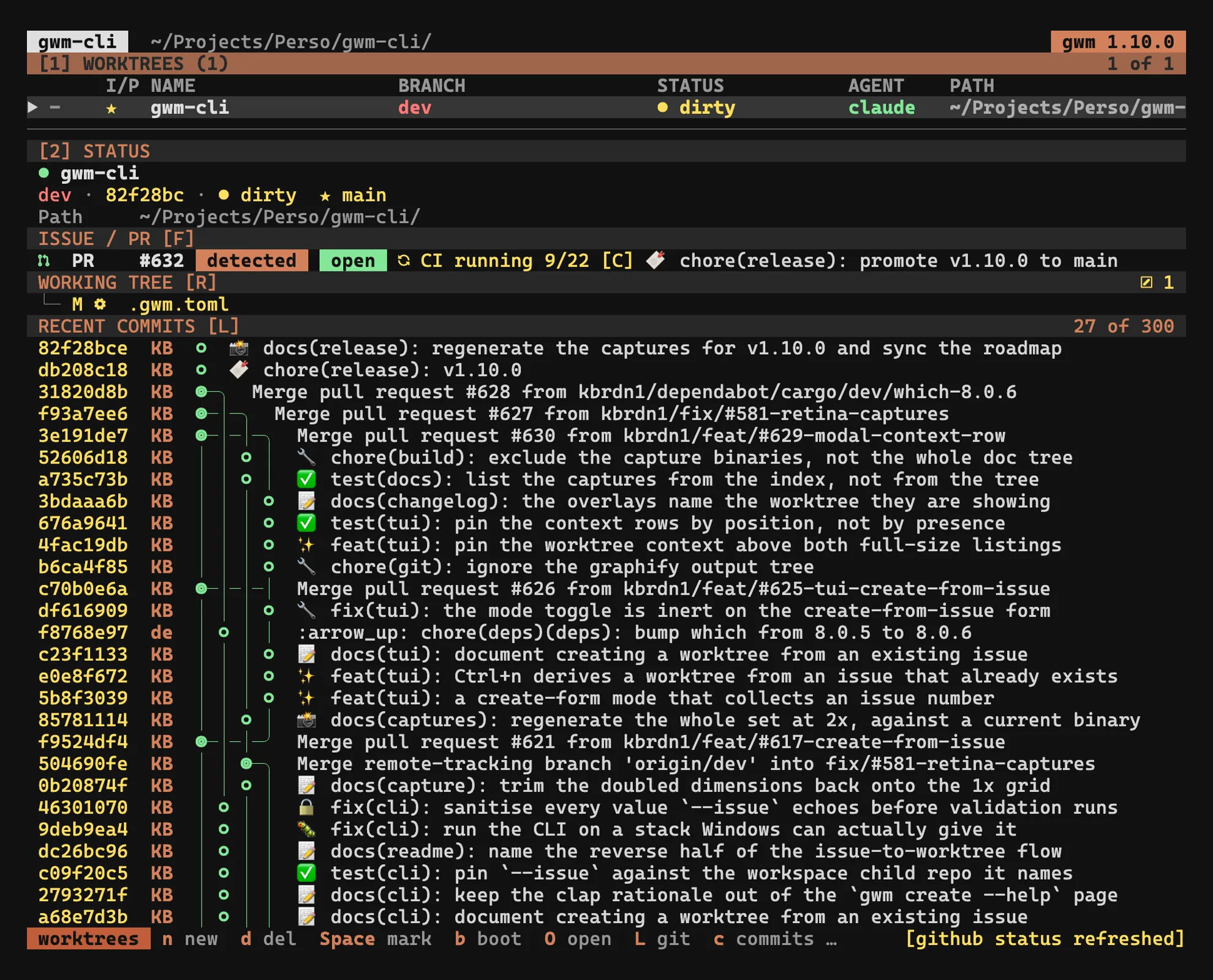
A TUI when the CLI is not enough
Bare gwm opens a ratatui interface: filter, status sidebar, embedded lazygit and shell overlays,
a command palette, and a keymap you can rebind live from the settings panel.
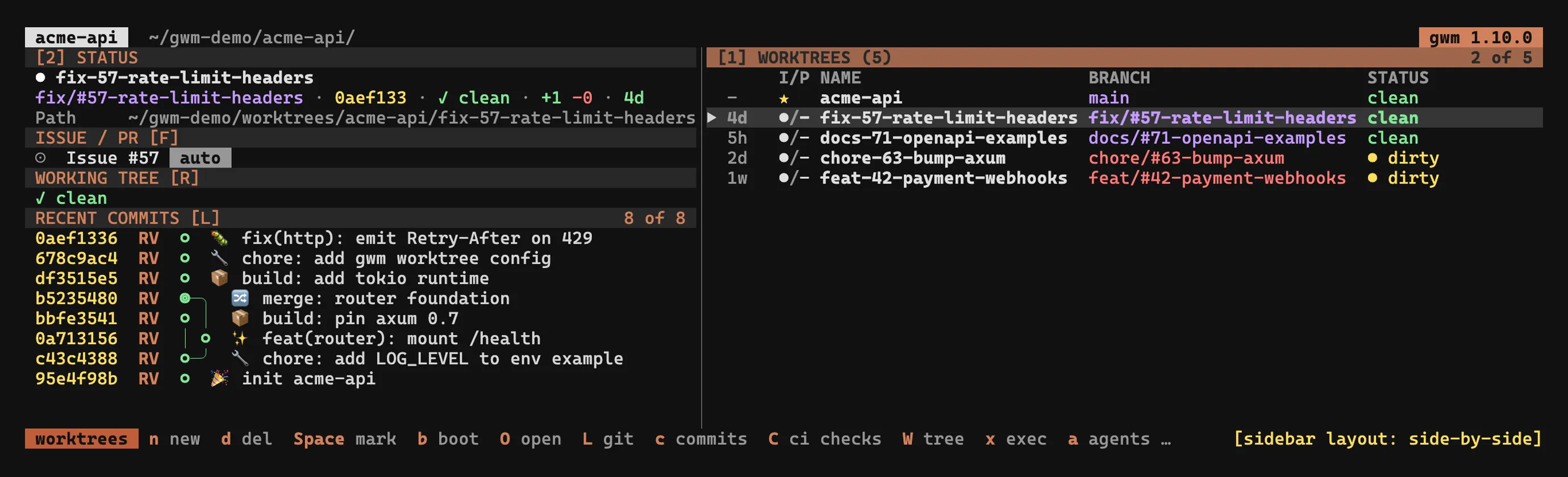
Built for scripts too
--format=json on list, doctor and path with frozen schemas, plus a JSON-RPC daemon with a
subscribe stream. gwm statusline renders a one-line summary for tmux, starship or a zsh prompt.
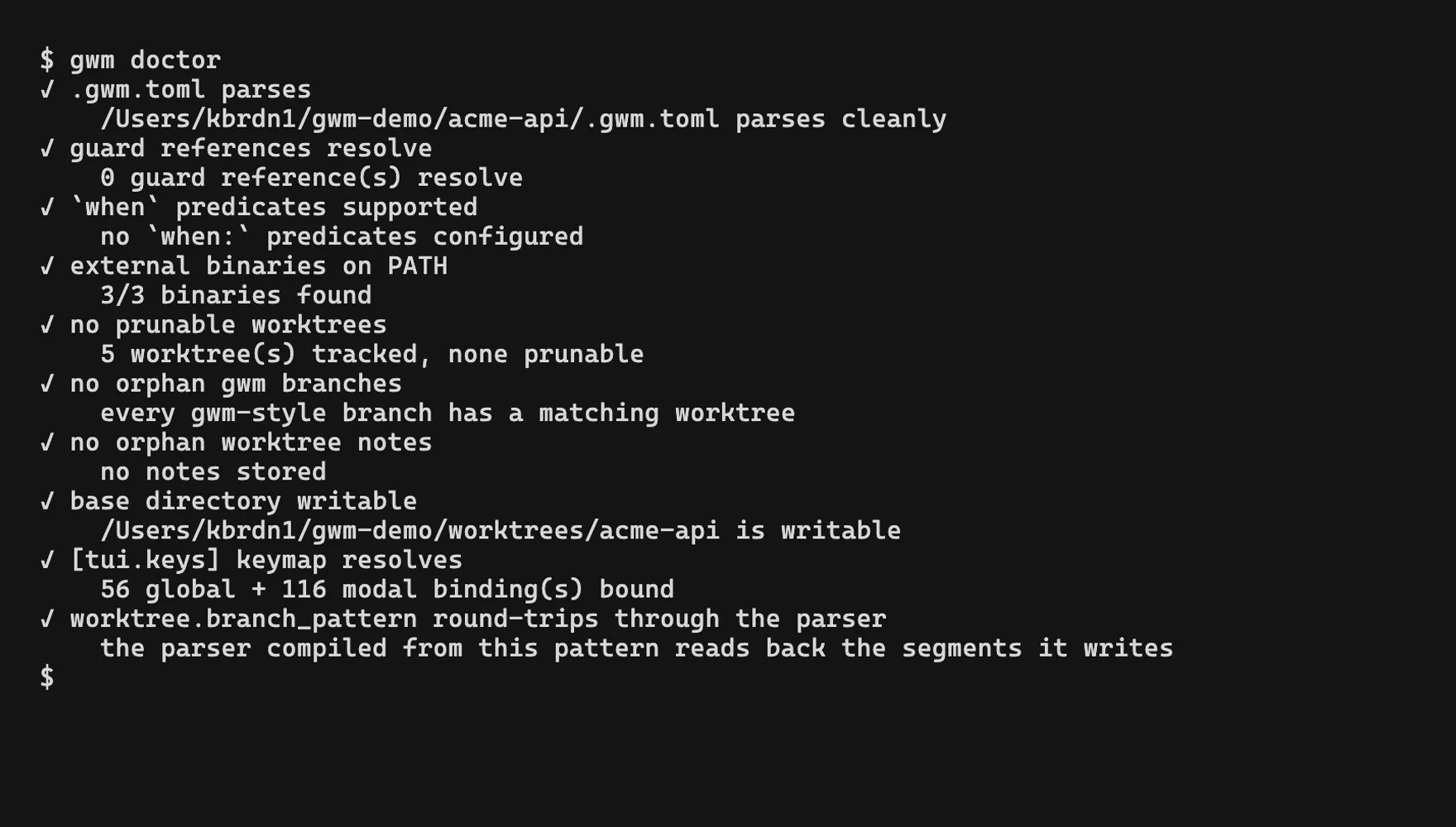
Fleet chores across worktrees
gwm exec -- cargo test runs a command in every worktree with a per-worktree rollup, and gwm clean reports reclaimable build directories before deleting anything.
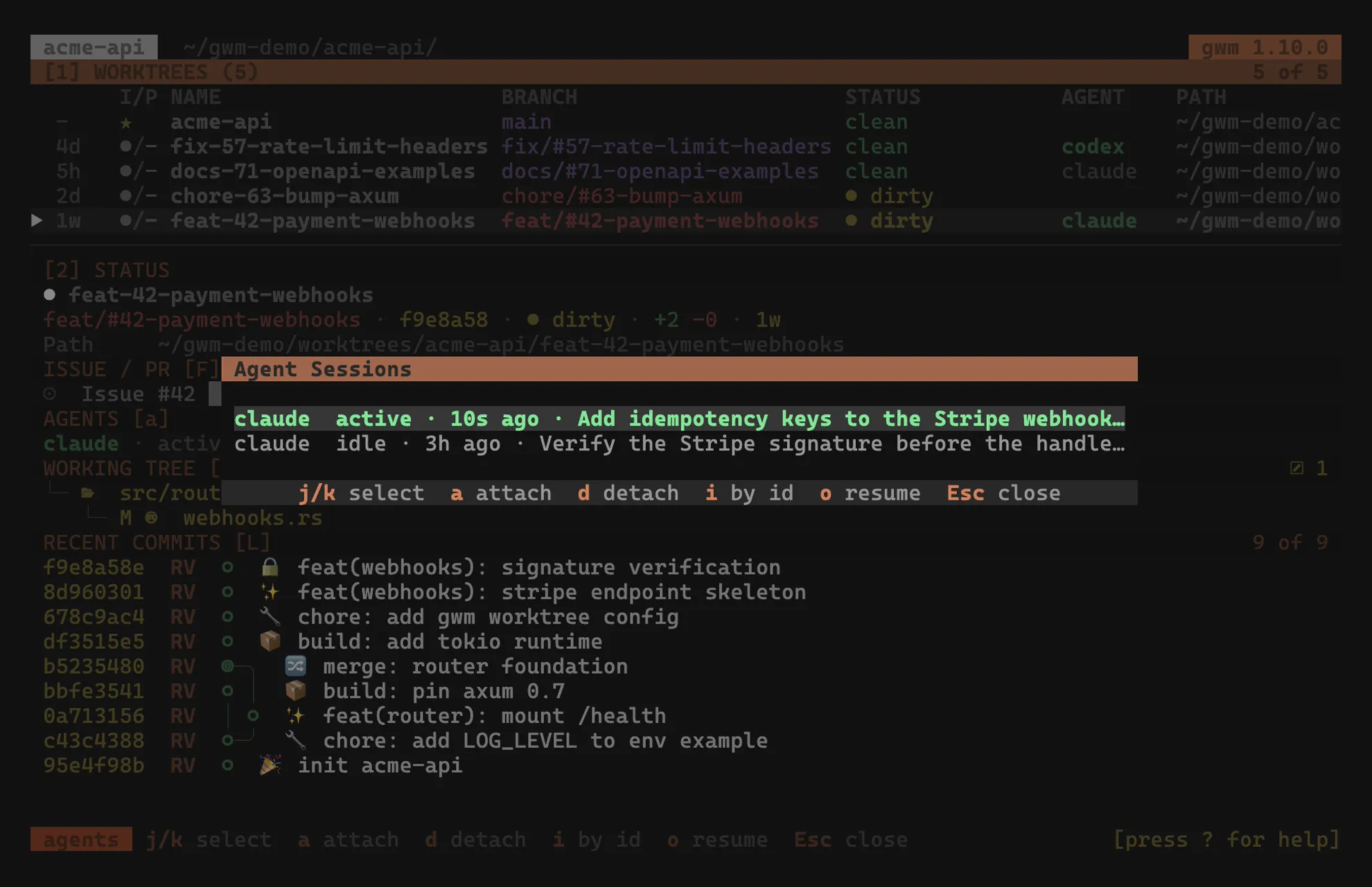
Which AI agent works where
Claude Code, Codex, opencode and Mistral Vibe are read from the session files they already write
to disk - no process scan, Windows included - and land in an AGENT column, in the sidebar, and
in an overlay on a. Pin a session by hand when detection can’t know.
Themes
Colours are role-based, not hard-coded: focus, dirty, clean, branch and
the rest each take a colour, and four presets ship in the binary.
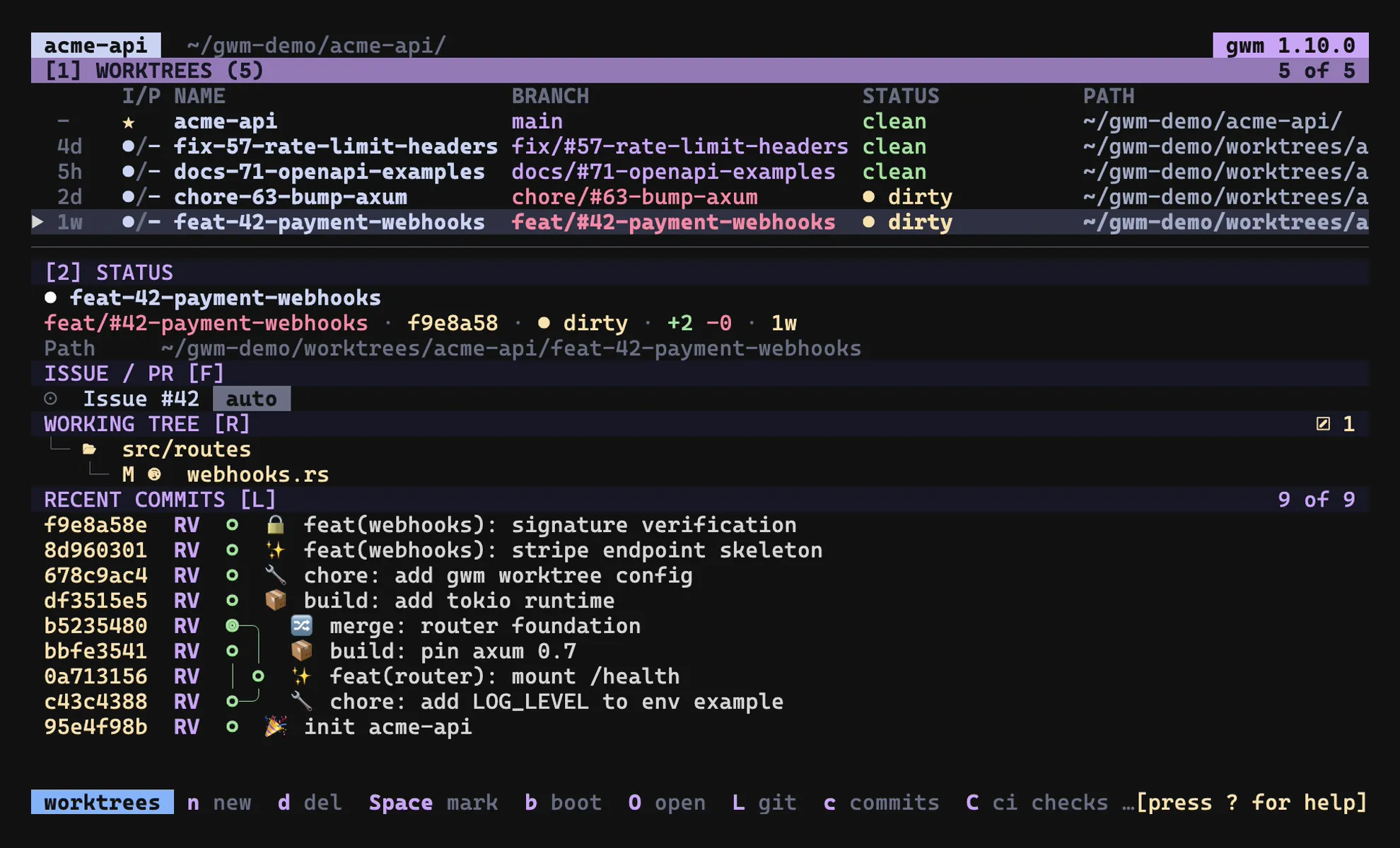
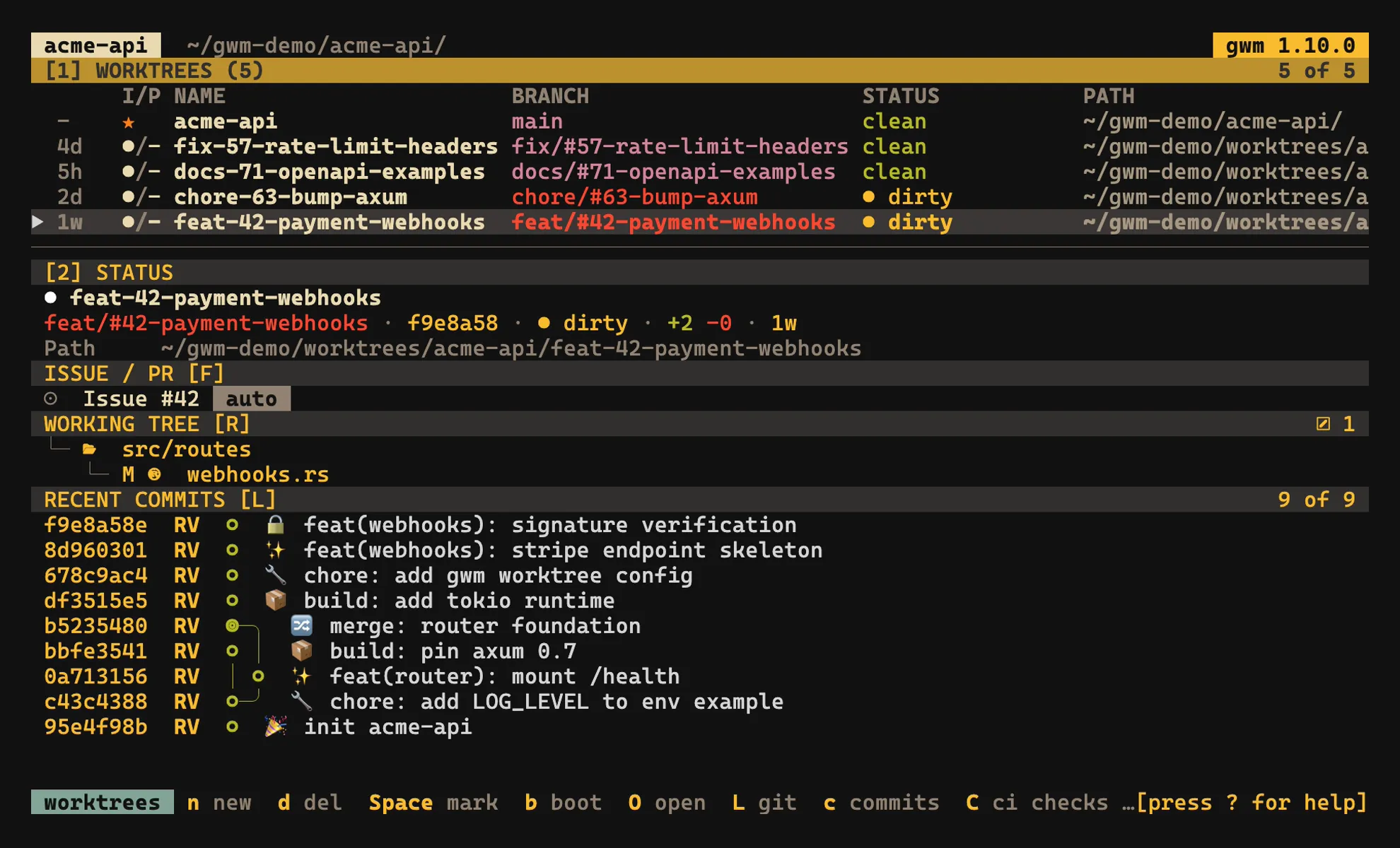
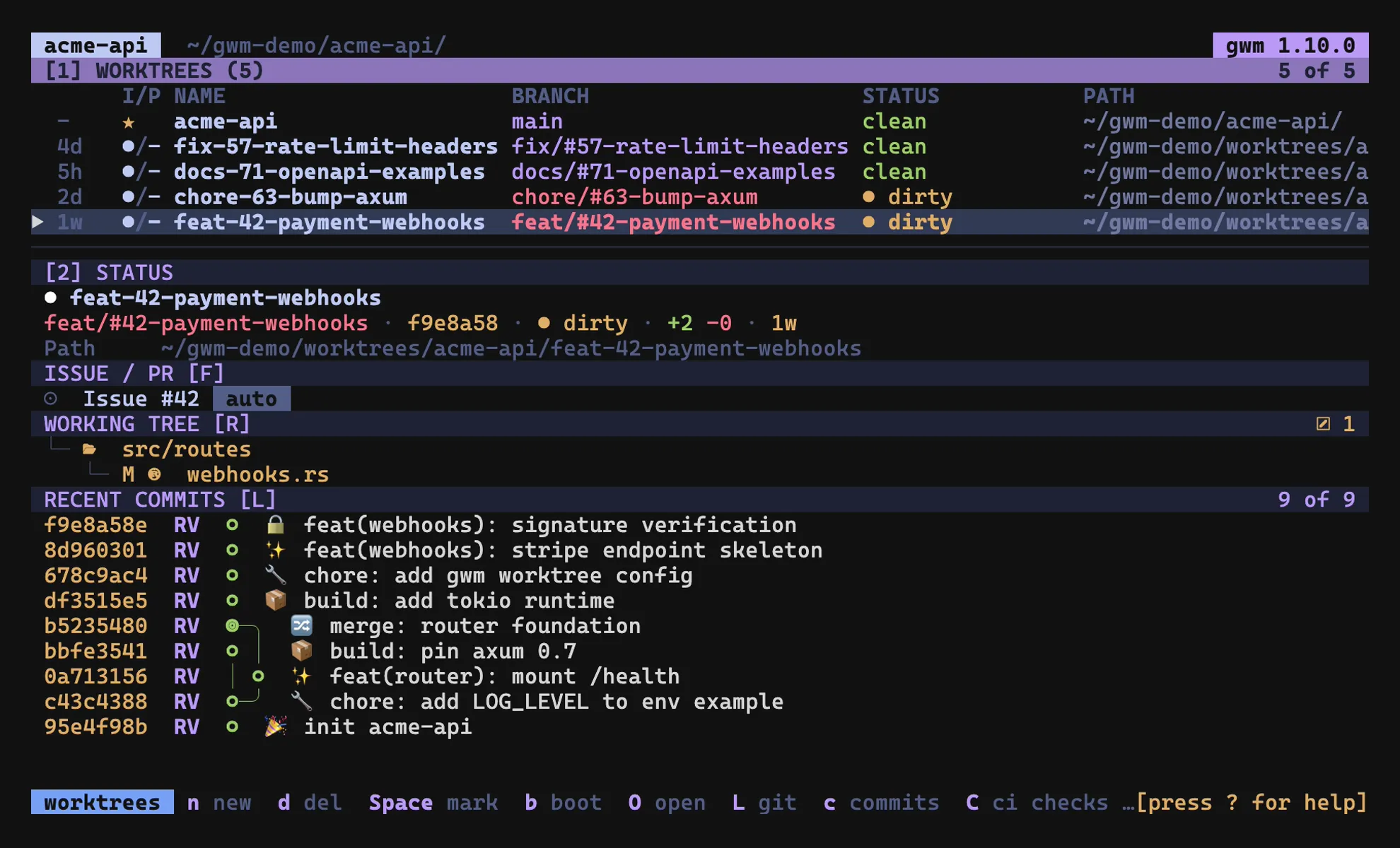
Set one in .gwm.toml, override any single role on top of it - see
Themes.
In herdr
herdr is a terminal multiplexer, and herdr-plugin-gwm
drives gwm from inside it: create, switch, remove, materialise a PR with gwm review, exec and clean across worktrees, plus gwm’s own TUI in a pane.
gwm stays the single source of truth. The plugin never creates a worktree on the herdr side - it adopts what gwm produced and closes the reflection when gwm removes it, so the two can’t drift apart.
herdr plugin install kbrdn1/herdr-plugin-gwmherdr ≥ 0.7.4 · gwm on PATH · jq · fzf · macOS · Linux · MIT · every action, in detail →
Where to start
- Install - every channel, from Homebrew to Nix
- First worktree - the first-run path, end to end
- CLI reference - every subcommand, flag and exit code
- .gwm.toml schema - the complete per-repo configuration
- Integrations - GitHub and GitLab linking, doctor, daemon consumers
- Changelog - every released version
The repository
Every page on this site is generated from the docs/ tree inside the repo -
the same tree that travels with the code and the releases. The docs and the
binary they describe cannot drift apart.