

Keymap & command palette
Added by #87 / #165 (keymap) and #32 / #167 (palette); extended to remappable modal keys by #219 and an in-TUI Keys editor by #294.
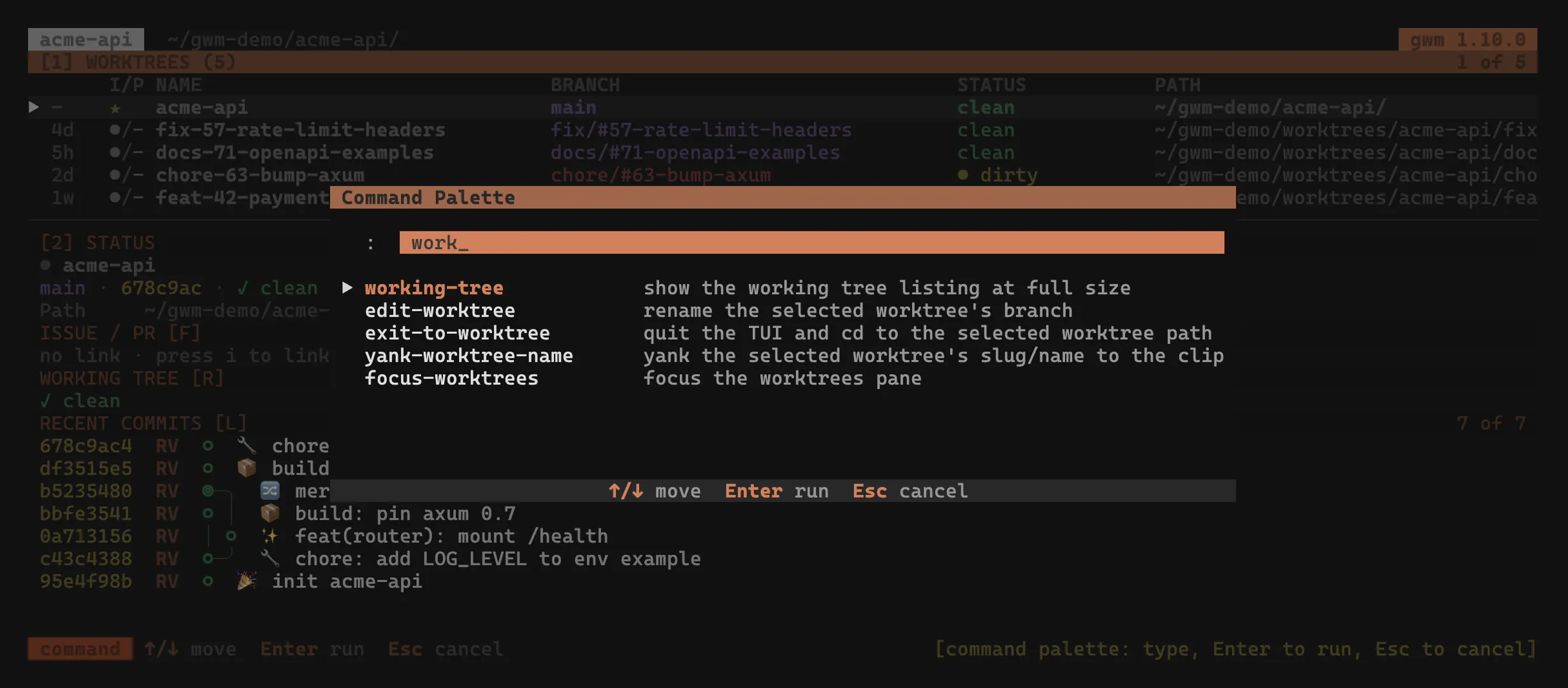
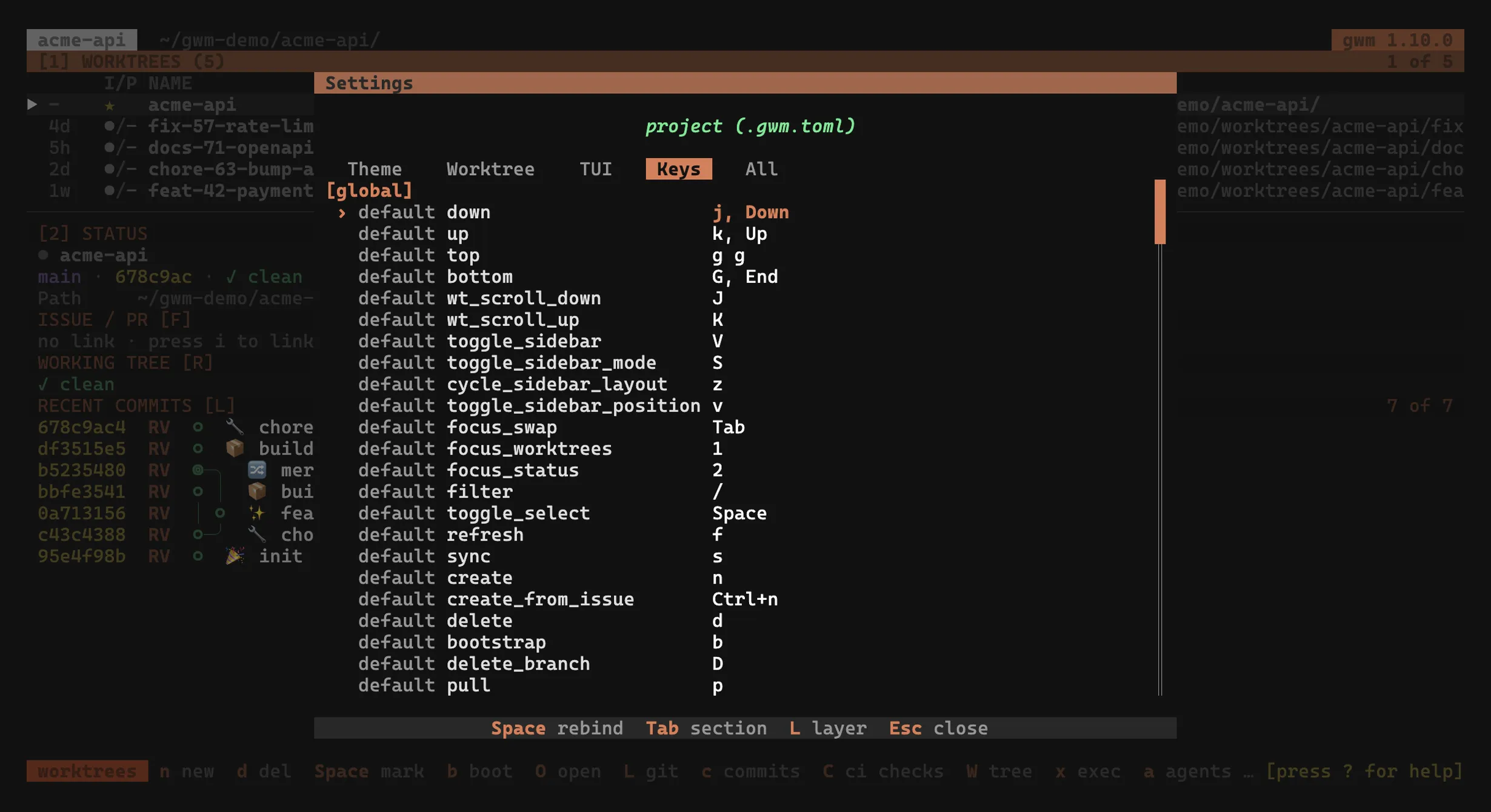
The TUI’s list-view bindings are not fixed: every action is addressable by a slug, you can rebind it, and you can also fire it by name from a command palette. Both surfaces share one underlying Action dispatcher, so they can never drift on which verbs exist or how they behave.
Remappable keymap ([tui.keys])
Section titled “Remappable keymap ([tui.keys])”The [tui.keys] block in .gwm.toml rebinds any list-view action with crossterm-grammar keys, including multi-key chords like g g:
[tui.keys]down = ["j", "Down"]top = ["g g"] # chord: press g, then gquit = ["q", "Q"]Each action keeps its built-in default unless you override it. The bindings shown in Keybindings are those defaults.
Load-time validation
Section titled “Load-time validation”Overrides are validated when the config loads. These are hard errors, surfaced before the TUI opens:
- unknown action: a key the slug table doesn’t recognise.
- parse error: a key string crossterm can’t parse.
- chord conflict: two actions bound to the same chord.
- prefix collision: one binding is a prefix of another (
gwould shadowg g).
gwm doctor additionally flags a keymap that leaves quit unbound, so you can’t lock yourself out of the TUI.
Inspecting the resolved keymap
Section titled “Inspecting the resolved keymap”gwm tui keys prints the resolved keymap (built-in defaults layered with your [tui.keys] overrides), one row per action, with a per-row source column so you can tell a default from an override:
action keys sourceThe action column lists the slugs accepted in [tui.keys]; the keys column shows every chord bound to that action (comma-separated); an empty keys cell means the action is currently unbound.
The ? help overlay is built from this same resolved keymap, so the in-app documentation always matches your actual bindings rather than the defaults.
gwm tui keys also prints the modal keymap (one block per context, see below), and gwm doctor re-reads the on-disk config and reports per-context conflicts.
Rebindable modal keys
Section titled “Rebindable modal keys”Added by #219. The keys inside the overlays (the create / rename form, the delete-confirm modal, the link prompt, the Settings panel, the Command Logs overlay, the help overlay, the issue/PR open menu, the command palette, and the bootstrap report) are no longer hard-coded. Each overlay is a context with its own typed verbs, remapped under a nested [tui.keys.modal.<context>] sub-table:
[tui.keys.modal.confirm]confirm = ["y"]cancel  = ["n", "Esc"]
[tui.keys.modal.create]submit     = ["Enter"]next_field = ["Tab"]
The modal namespace is deliberately separate from the global [tui.keys] table, so a context can’t collide with a same-named global action. A global create array and a modal [tui.keys.modal.create] table coexist:
[tui.keys]create = ["n"]            # global: open the New Worktree form
[tui.keys.modal.create]   # inside that form: the field-navigation verbssubmit = ["Enter"]
Rules and conventions:
- Single keystrokes only. Unlike global actions, a modal verb takes one key per binding: a multi-stroke chord is rejected at load time.
- Same key, different meaning. Because each context resolves independently, the same physical key can mean different things across modals:
Enterissubmitin the create form butactivatein the delete-confirm modal. - Two-stage surfaces use a dotted path:
[tui.keys.modal.link.choose_target],[tui.keys.modal.link.input_number], and[tui.keys.modal.config.edit]. - Reserved keys can’t be assigned.
Ctrl+C, the list view’s contextualEsc/Enter, and the PTY overlay’s emergencyEscstay hard-coded by design.
gwm tui keys lists every context and verb with its resolved keys and source; gwm doctor validates the contextual bindings against the on-disk config. The Keybindings help overlay and the statusbar footer hints resolve modal keys from the override layer too, so they always match your config rather than fixed strings. See the per-overlay tables in Keybindings.
You can edit any of these (global and modal) without touching .gwm.toml by hand, from the Keys tab of the Settings panel (4): select a binding, press the activate key, and capture a new key live; the capture writes the TOML array to the targeted layer, validates it, and reloads the keymap on the spot.
User macros ([tui.macro1] / [tui.macro2])
Section titled “User macros ([tui.macro1] / [tui.macro2])”#290 added two user-defined commands fired straight from the worktree list (h runs macro_one, H runs macro_two), each running in the selected worktree’s directory:
[tui.macro1]command = "cargo clean"
[tui.macro2]command = "cargo install --path ."open_in = "pty"          # "pty" (default, embedded overlay) or "mux_pane"
open_in defaults to "pty" (an embedded PTY overlay, TUI suspends until exit); set it to "mux_pane" to launch the command in a new tmux / zellij pane instead (herdr panes take no command, so a herdr session keeps the PTY overlay). The h / H bindings are themselves rebindable as the macro_one / macro_two actions in [tui.keys].
Command palette
Section titled “Command palette”Press : (rebindable as command_palette in [tui.keys]) to open the command palette. Type to fuzzy-filter the registered actions (:create, :bootstrap, :yank-path, and the rest of the list-view verbs):
| Key | Action |
|---|---|
| (type) | fuzzy-filter the registered actions |
Enter |
fire the highlighted action |
Tab / ↓ / ↑ |
cycle the highlight |
Esc |
cancel |
Each palette entry is a stable verb (name) plus a one-line description; the names are what you type after :. Because the palette and the keystroke dispatcher resolve through the same Action dispatcher, every keybinding has a palette twin and vice versa: the two surfaces can never disagree on which verbs are addressable or what they do.
Related
Section titled “Related”- Keybindings: the default bindings the keymap layers over
- Configuration →
[tui.keys]schema: full keymap field reference - Themes: the other half of the TUI personalisation surface